
AI & Automation
AI Workflow Automation: 10 Practical Business Examples
AI workflow automation connects business tools so information moves, tasks are created and follow-ups happen without someone retyping the same details. Some steps use AI to interpret messy input. Other steps should stay as plain rules. The useful question is not “Can AI do this?” but “Which step needs interpretation, and which step must be deterministic?”
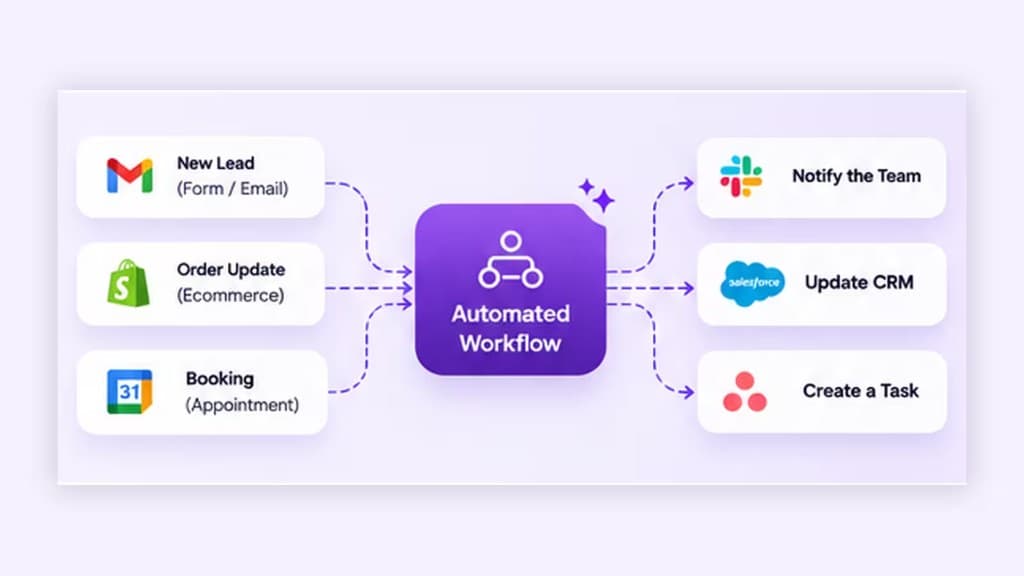
What Is AI Workflow Automation?
Workflow automation moves work between systems when a trigger occurs: a form submit, a new email, a deal stage change or a schedule. AI enters when a step must classify, extract or draft something from variable input before the next deterministic action.
How AI Automation Differs from Rule-Based Automation
Rules are reliable when inputs are structured. AI helps when inputs are messy. A durable design uses AI narrowly, then returns to rules for updates, notifications and audit trails.
10 Practical Business Automation Examples
How to Choose Your First Workflow
- High volume or high annoyance for the team.
- Clear trigger and clear success definition.
- Recoverable mistakes.
- Systems you can actually access and map.
Common Integration Challenges
Expect field mismatches, rate limits, inconsistent IDs across tools and silent failures when someone changes a form. Document owners for each connector before go-live.
Reliability, Monitoring and Error Handling
- Log every run with status and payload identifiers.
- Alert a named owner on repeated failures.
- Provide a manual fallback path.
- Re-test after any tool or form change.
Implementation Checklist
- Write the workflow in plain language first.
- Mark which steps are rules vs AI.
- Map systems, fields and permissions.
- Define exceptions and human approvals.
- Pilot with a subset of traffic.
- Review outcomes on a schedule.
iSkills Workflow Automation engagements agree which steps run automatically and which need your team. When interpretation across tools becomes the core need, continue with AI Agents.
Key Takeaways
Practical automation is a designed process with clear boundaries. Use AI where input is messy, keep rules where outcomes must be predictable, and monitor both.
Frequently Asked Questions
Do all ten examples require AI?
No. Several work well as rule-based automation. AI is useful when free text, documents or ambiguous categories need interpretation before a rule can run.
What breaks most automations?
Bad field mapping, changed form fields, expired credentials and missing owners for failures. Technical connectors matter, but operational ownership matters more.
Should we automate a messy process as-is?
Usually not. Write the intended process first. Automating confusion scales confusion.
How do we know a workflow is healthy?
Track success rate, time-to-complete, exception volume and whether humans still trust the outputs enough to act on them.
Ready to talk this through?
Discuss whether this approach fits your systems, permissions and team capacity.
Discuss Your Automation Workflow